The Kinah Auction is a legal and secure way to buy and sell Kinah between players directly through our website. All transactions are processed through the service system, so there is no need to arrange the transfer of Kinah or Toll directly with another player.
You can choose a suitable offer based on the amount and price, or create your own lot and put your Kinah up for sale.
Buying Kinah
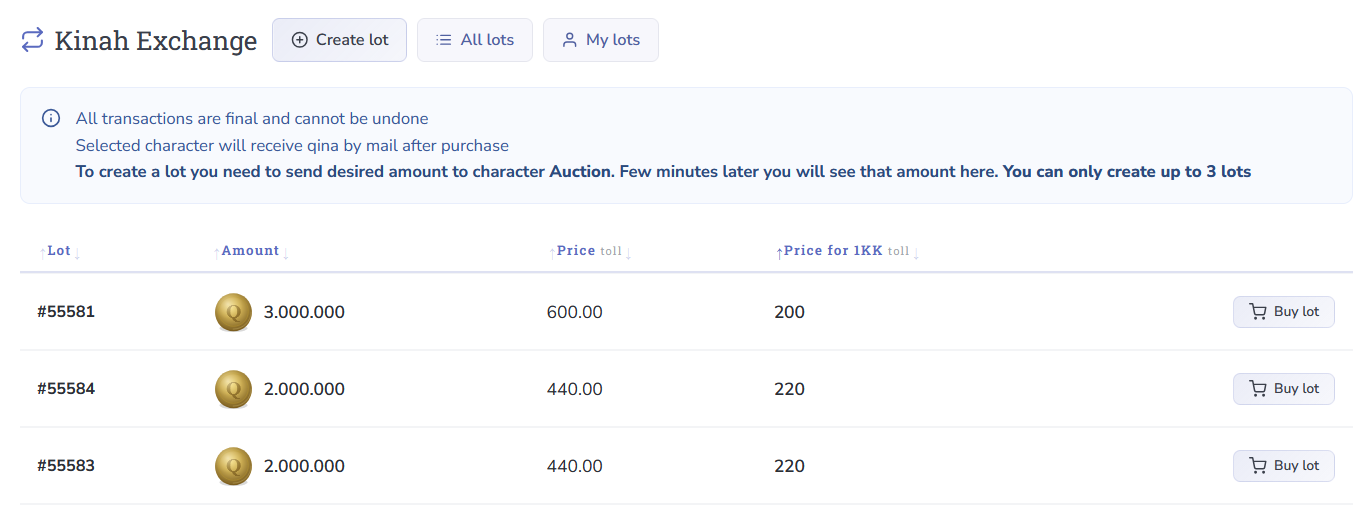
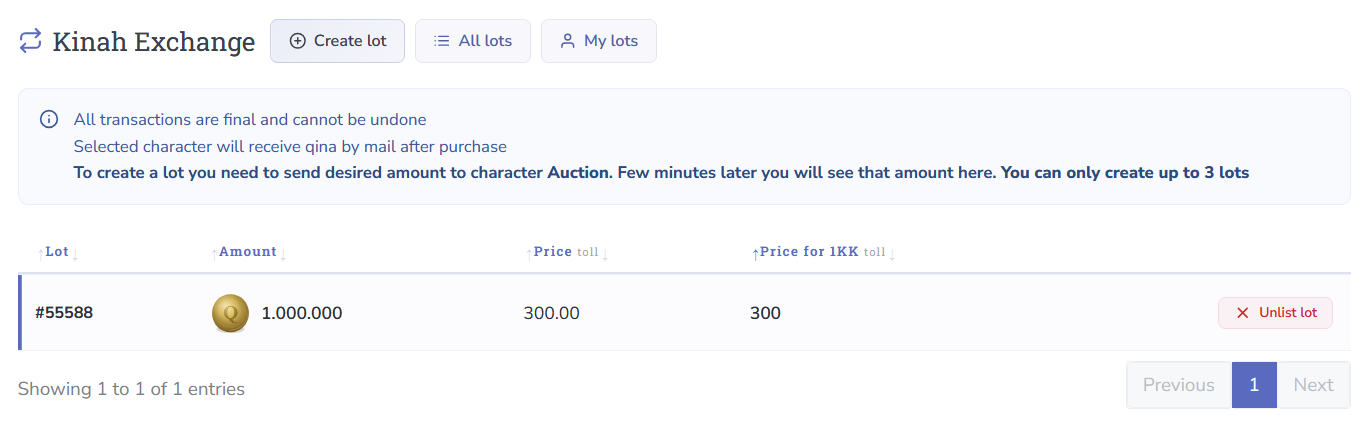
The general auction list contains offers created by other players. Each lot displays:
- the amount of Kinah being sold;
- the total lot price;
- the price per 1kk Kinah.
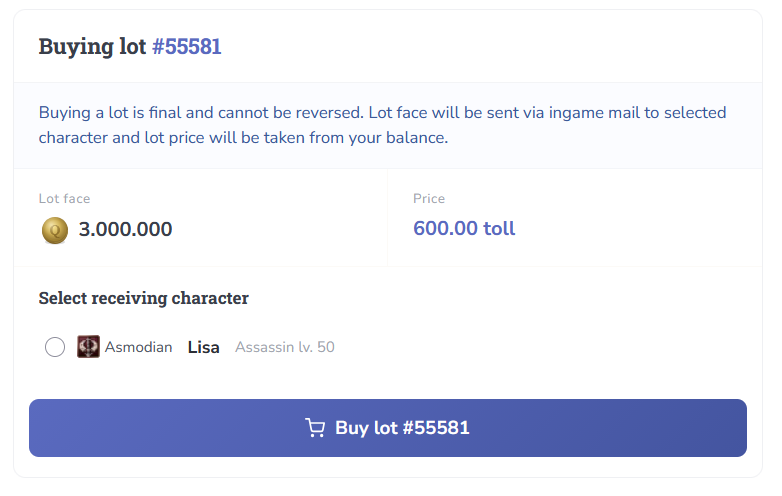
To make a purchase, click “Buy Lot”, select the character who should receive the Kinah, and confirm the transaction.
Selling Kinah
You can also put Kinah from your character up for sale and receive Toll after another player purchases your lot.
- All completed auction transactions are final and non-refundable.
- The minimum lot size is 100,000 Kinah.
- The maximum lot size is 100,000,000 Kinah.
- A 10% commission is charged on successful sales. The lot price minus the commission will be credited to your balance.
- Kinah transferred to the auction cannot be withdrawn back to an in-game character.
Step 1. Transfer Kinah to the Auction
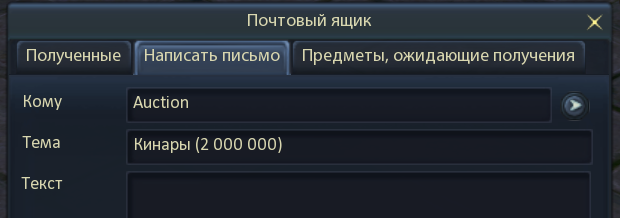
To put your Kinah up for sale, send the required amount from your character using regular in-game mail — not express mail — to the character named Auction.
Step 2. Create a Lot
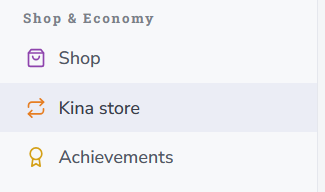
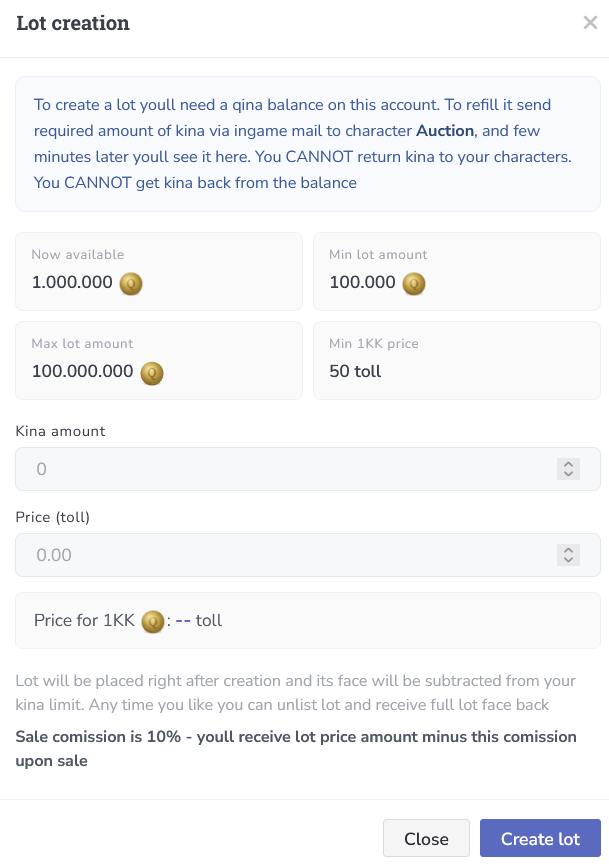
After sending the Kinah, go to your account dashboard, open the “Kinah Store” section, and click “Create Lot”.

The lot creation window will display the amount of Kinah currently available for sale.
Step 3. Set the Amount and Price
Specify the amount of Kinah you want to sell and the total price of the lot in Toll. The price per 1kk will be calculated automatically based on the values you enter.
After confirmation, your lot will appear in the general auction list alongside offers from other players.

Managing Your Lots
You can view your active offers in your personal list of lots and manage them from there. If necessary, an active lot can be removed from sale.
After the Sale
Once another player purchases your lot, it will automatically disappear from the list of active offers.